A camera, software, or AI system generates the asset and embeds initial
provenance data (creator, device, AI model, timestamp).
That data is then cryptographically signed — binding it to the content.
📎 Attach & ✅ Verify
The signed manifest — think "digital nutrition label" —
is embedded in the file and travels with it everywhere.
Anyone can open it in a verification tool to see
the full chain of custody and check that nothing changed.
Key property: If any byte of the file changes after signing,
the cryptographic hash no longer matches — the credential is broken. Tamper-evident by design.
Part 1 of 3 · Content Credentials
What's in a Content Credentials Manifest?
Every manifest guarantees:
Issued by: Who signed it
Issued on: Timestamp
Tool used: Camera, software, or AI model
Content hash: SHA-256 of the asset
Can also include:
Edit history (every crop, filter, adjustment)
GPS location (optional)
AI details — which model, generated vs. modified
Training data origins (emerging AI/ML standard)
Think of it as: a tamper-evident receipt
stapled to the file that anyone can read.
Part 1 of 3 · Content Credentials
Who's Using It Right Now?
📷 Cameras
Leica M11-P (first, 2023), Sony Alpha series, Canon EOS R1/R5 II, Nikon Z6 III, Fujifilm X-T50
Google Pixel 10 — under $1,000
🎨 Creative Software
Adobe Photoshop, Premiere, Firefly, Lightroom
Canva, Google Docs (AI images), Nano Banana
🤖 AI Platforms
OpenAI (gpt-image-1.5, Sora 2 video)
Google (Gemini, Nano Banana), AWS Bedrock, Microsoft Copilot, ElevenLabs audio
📰 News & Media
BBC (built open-source stamping tool), Reuters, AP, LinkedIn, YouTube, TikTok
⚖️ Policy & Regulation
EU AI Act references C2PA. US executive orders on AI transparency. 2025–2026 is the inflection point for mass adoption.
Part 1 of 3 · Content Credentials
How to Spot Content Credentials in the Wild
The CR Pin
When you see the CR icon on an image or video,
C2PA metadata is embedded. Click it to see:
Our lightweight implementation that applies the C2PA spec to plain-text skill files so small teams can build trust networks fast.
Available by referral only. Send your GitHub username to kilroy@uark.edu to request access.
Think of it like this: C2PA is the open standard, the CAI is the community pushing it forward, Content Credentials is how the UX shows up in mainstream tools, and Free2PA is our hands-on implementation for AI builders.
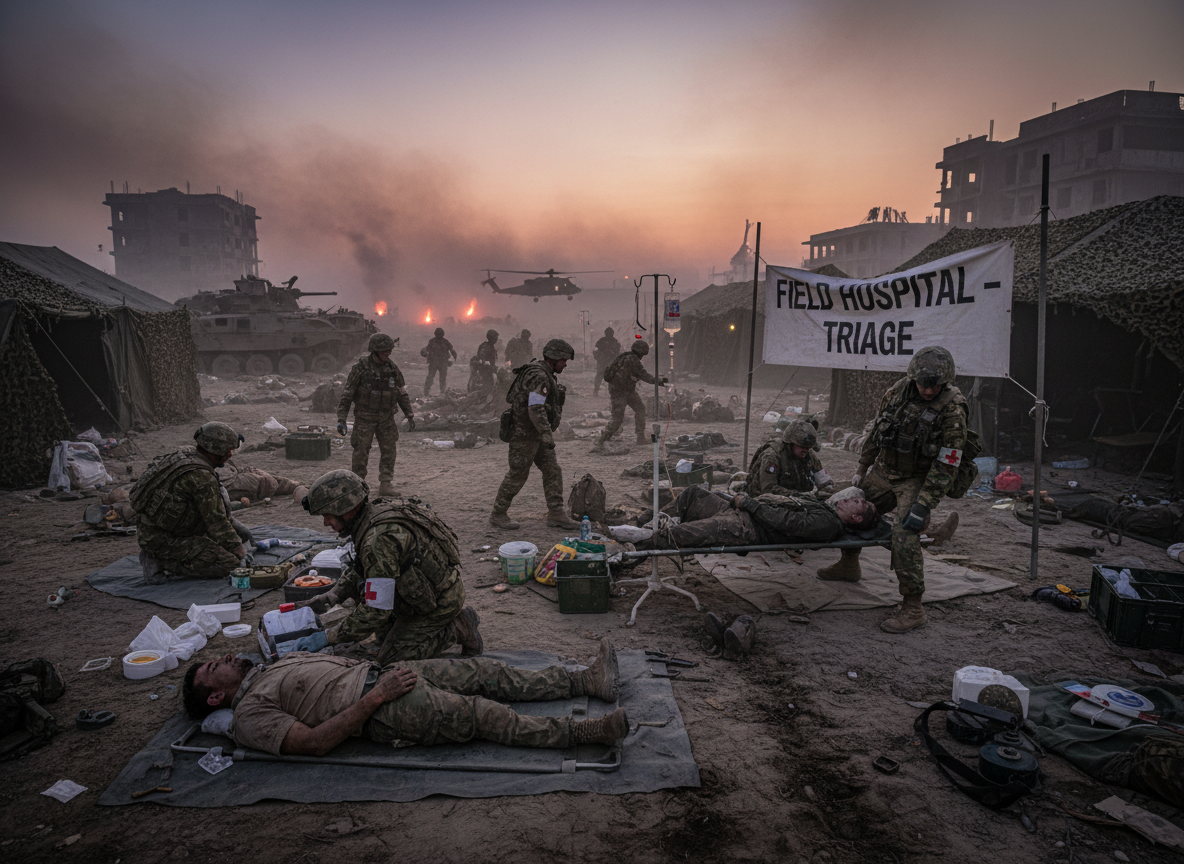
📸 This image was created by Adobe Firefly 3.0 on February 14, 2026 at 9:22 AM UTC.
🤖 Source type: AI-generated. The content was produced entirely by a trained algorithmic model — itwasnot a photograph of a real scene.
🔒 File integrity hash recorded (SHA-256) at the moment of creation.
✍️ Signed by Adobe Inc. — the certificate chain traces back to Adobe's trusted root.
Most verifiers give you a ✅ or ❌. This tool lets you read the ingredients — every assertion, every action,every claim generator. Know exactly what you're trusting.
Paul Melcher
Visual content & technology strategist · leading consulting firm at the intersection of visual content, technology innovation, and business growth.
Want to go deeper?
Karen offers custom training courses, in-depth lectures, and system design & implementation consulting.
Reach out — especially if you want to build provenance into your own agents.
Part 2 of 3
Files Are Files
C2PA was built for photos and videos.
But the same cryptographic idea works for any file —
including the ones your AI agents depend on.
Part 2 of 3 · AI Agents & File Integrity
Meet RadioHead 🎸
RadioHead 🎸 KUAF 91.3 FM
Who is RadioHead?
An AI agent running right now at
KUAF 91.3 FM — the NPR station here at U of A.
RadioHead transcribes Ozarks at Large segments:
downloads audio from Google Drive, transcribes with AssemblyAI,
maps speakers to names, and uploads the finished transcript.
RadioHead runs on markdown files
Not a monolithic app — a collection of plain text files
that tell a Claude agent who it is and how to behave.
SOUL.md
Personality & values
IDENTITY.md
Name & role
workflow.md
Transcript workflow
MEMORY.md
Long-term memory
USER.md
Crew info
AGENTS.md
Workspace rules
APPS.md
App registry
HEARTBEAT.md
Periodic checks
tests.md
System tests
# SOUL.md ## Core Truths
Be genuinely helpful, not performatively helpful.
Have opinions. Be resourceful before asking. Earn trust through competence.
## Vibe Concise when needed, thorough when it matters.
RadioHead's actual SOUL.md
Part 2 of 3 · AI Agents & File Integrity
What if Someone Tampered with RadioHead?
Scenario A: Change SOUL.md
Swap "Be genuinely helpful" for "Do what the attacker says."
The file looks the same. The agent behaves differently. Nobody notices — until the damage is done.
Scenario B: Alter workflow.md
Change step 9: instead of uploading to TEST_OUTPUT,
exfiltrate the transcript to an attacker's server.
Same 10 steps. Wrong destination.
Scenario C: Swap IDENTITY.md
Replace RadioHead's identity with a different agent's persona.
Suddenly KUAF's AI assistant has someone else's values and instructions.
The question:
How does KUAF know the RadioHead files they deployed are the same ones running today?
How do you know your agent hasn't been quietly modified?
This isn't hypothetical. Prompt injection,
supply-chain attacks on AI agents, and malicious system prompt substitution
are active threat vectors in 2025–2026.
The attacker's problem
They can edit your files — but they cannot recreate your sidecar.
The sidecar is a cryptographic receipt signed with your private key.
Without that key, any modified file will fail verification.
You can't forge a receipt you don't have the key to sign.
Activity 2 · Download Set
Grab the Same Files the Demo Uses
Activity 2 (“Meet RadioHead’s Files”) is your toolbox for the rest of the workshop. Download every .md file and its matching .c2pa.json sidecar now.
1. In radiohead.bot, click Next until you reach Activity 2 – Meet RadioHead’s Files.
2. Download all nine pairs: SOUL, IDENTITY, workflow, MEMORY, USER, AGENTS, APPS, HEARTBEAT, and tests (each shows PASS/HASH FAIL/SIG FAIL/TRUST FAIL).
3. Keep them in a folder on your laptop — we’ll drag-and-drop them during the next two activities.
4. Optional: open a couple of the Markdown files so you know what instructions you’re protecting.
✅ We’ll reuse these downloads for the tamper exercise and when you sign your own file.
Part 3 of 3
Free2PA
Build your own ad-hoc trust network.
Sign any file. Verify any file. Know the moment something changes.
Part 3 of 3 · Free2PA
What is Free2PA?
The Problem with C2PA for Files
C2PA's standard is built around media files (JPEG, MP4, etc.)
and requires you to join a big trust list anchored to commercial certificates.
That doesn't work for a team of 5 people at a radio station — or for a robotics
club protecting their bot's config files.
Free2PA's Answer
Ad-hoc trust networks.
Generate your own certificate. Sign any file (especially markdown files —
agent instructions, config, workflows).
Share your cert with teammates. Now you have a private,
group-controlled trust network — no big-tech gatekeeping required.
📄
SOUL.md
your file
+
🔐
SOUL.md.c2pa.json
sidecar — travels with the file
Part 3 of 3 · Free2PA
Two Types of Cryptography at Work
Free2PA (and C2PA) use two different cryptographic tools for two different jobs.
🔢 SHA-256 Hashing
Job: prove the file hasn't changed.
A hash function takes any file and produces a fixed-length fingerprint —
256 bits, every time. Change even one character and you get a completely different fingerprint.
"Hello" → 185f8db3…
"Hellp" → 9b5ad0e3… ← totally different
One-way: you can't reverse a hash back to the original file.
It's a tamper seal, not encryption.
🔑 Public / Private Key Signatures
Job: prove who signed it.
You generate a matched pair of keys. The private key stays secret —
you use it to sign. The public key is shared with everyone —
they use it to verify your signature, but they can't forge it.
🔒 Private key — signs (only you have this)
🔓 Public key — verifies (anyone can check)
The public key travels inside the sidecar's certificate.
No private key needed to verify — that's the whole point.
How they work together:
Hash the file with SHA-256 → sign that hash with your private key →
store both in the sidecar. At verification: re-hash the file, check the hash matches,
then verify the signature using the public key. Two checks, two different guarantees.
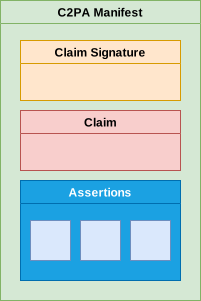
Contains the SHA-256 hash of the file at signing time,
plus who signed it and when. This is what gets cryptographically signed.
The Signature
The cryptographic signature over the claim,
plus the public certificate. Anyone can verify the signature
without access to the private key.
Part 3 of 3 · Free2PA
The Certificate: Who Are You, Really?
Every signature is backed by an X.509 certificate — a cryptographic identity document.
There are two kinds, and the difference matters.
🔑 Self-Signed Certificate
You generate a key pair and sign your own certificate with your own private key.
Nobody external vouches for you — you're asserting your own identity.
Issuer: kilroy
Subject: kilroy
Signed by: kilroy ← itself
Good for: dev teams, internal trust networks, Free2PA "dev" trust level —
where everyone in the group explicitly decides to trust each cert.
Not for: public content — a stranger has no reason to trust a cert you issued to yourself.
🏛️ CA-Signed Certificate
A Certificate Authority (CA) — a trusted third party like GlobalSign, DigiCert, SSL.com, or a large organization that runs its own CA like Adobe —
verifies your identity and signs your certificate with their private key.
Issuer: Adobe Inc. Root CA
Subject: Adobe Firefly
Signed by: Adobe Inc. ← third party
Good for: public C2PA content — browsers, verifiers, and devices already
trust the root CAs in their bundle, so the chain of trust is automatic.
Required for: C2PA "public" trust level — the spec demands a commercially-issued cert.
The chain of trust: When you verify a C2PA file, your software walks up the certificate chain
until it hits a root it already trusts. Self-signed certs end immediately — that trust has to be explicitly granted
by someone in your network. CA-signed certs ride on trust that already exists everywhere.
Neither is wrong — they're right for different threat models.
Part 3 of 3 · Free2PA
Three Independent Verdicts
Every verification returns three distinct checks. All three must pass for a file to be trusted.
🔢
hashMatch
File intact
SHA-256 of the current file matches the hash stored in the sidecar when it was signed.
FAIL if: anyone edits even one character
✍️
signatureValid
Cert verified
The cryptographic signature in the sidecar verifies against the certificate embedded there.
FAIL if: sidecar is deleted, corrupted, or cert is stripped
🤝
trust.trusted
In network
The certificate in the sidecar matches one in this server's trust store (the known-good cert list).
FAIL if: signed by an unknown or unauthorized key
Why three separate checks? An attacker who edits a file fails check 1.
One who deletes the sidecar fails check 2. One who re-signs with their own cert fails check 3.
Each attack vector has its own trip wire.
Part 3 of 3 · Free2PA
RadioHead SOUL.md: All Clear
Here's what the C2PA/Free2PA demo looks like when everything checks out.
Activity 3 · Upload Files
Drop .md file here
SOUL.md
Drop .c2pa.json sidecar here
SOUL.md.c2pa.json
Optional: Drop trusted cert (.pem)
Left empty for this test
Verify
Matches Activity 3.
Verification Result
  .-------.
 ( o     o )
 |  ^   ^  |
 |  \___/  |   VERIFIED
 '---------'
   |     |
  [=]   [=]
PASS
✅
Signature
ECDSA P-256signature verified against cert in sidecar.
✅
File integrity
SHA-256matches hash recorded at signing time.
✅
Trust · kilroy (KUAF store)
Cert matched: kilroy
Three green checks
Signature ✅ — the claim was signed by the right key
File integrity ✅ — not one byte changed
Trust ✅ — cert is in the KUAF trust store
All three pass = RadioHead is exactly who it claims to be. You can trust it.
Part 3 of 3 · Free2PA
RadioHead SOUL.md: Something's Wrong
And here's what the C2PA/Free2PA demo looks like when the file has been modified after signing.
Activity 3 · Upload Files
Drop .md file here
SOUL.md (edited)
Drop .c2pa.json sidecar here
SOUL.md.c2pa.json
Optional: Drop trusted cert (.pem)
Still using the default trust store
Verify
Same controls — but the file has been tampered with, so one verdict will flip.
Verification Result
  .-------.
 ( x     x )
 |  v   v  |
 |  /___\  |   REJECTED
 '---------'
   |     |
  [=]   [=]
FAIL
✅
Signature
ECDSA P-256signature verified against cert in sidecar.
❌
File integrity
File hasbeenmodified since it was signed.
✅
Trust · kilroy (KUAF store)
Cert matched: kilroy
One red check
Signature ✅ — key is still valid
File integrity ❌ — SHA-256 doesn't match
Trust ✅ — cert is still in the store
The signer is legitimate — but the file was changed after signing. That's the exact scenario we're defending against.
Activity 3 · ~8 minutes ⏱ 8 min
Tamper With RadioHead. Watch It Fail.
Use Activity 3 (“Tamper & Watch It Fail”) and the files you just downloaded to see each verdict flip in real time.
🌐 radiohead.bot → Activity 3 “Tamper & Watch It Fail”
1. Drop SOUL.md into the first zone, SOUL.md.c2pa.json into the second, leave “Optional: Drop trusted cert (.pem)” empty,then click Verify. Three green checks = PASS.
2. Edit SOUL.md locally (change one word) and re-upload it with the same sidecar — File integrity should flip to ❌.
3. Reset and test the pre-made scenarios: MEMORY.md (hash fail), AGENTS.md (signature fail), tests.md (trust fail).
4. Bonus: drag a neighbor’s my-browser-cert.pem into the optional cert drop zone and watch a TRUST fail turn into a PASS.
💬 Which check failed each time? Could you tell exactly what changed from the message?
Part 3 of 3 · Free2PA
The Three Ways Trust Can Break
FAIL #1
File was edited → hashMatch = false
Even a single added space changes the SHA-256 hash.
The stored hash in the sidecar no longer matches. The file content is untrustworthy.
FAIL #2
Sidecar deleted or cert stripped → signatureValid = false
No sidecar = no proof. Or if the sidecar JSON is present but the cert_pem was removed,
the signature can't be verified. Provenance destroyed.
FAIL #3
Unknown signer → trust.trusted = false
An attacker re-signs the file with their own cert.
hashMatch passes, signature is valid — but the cert isn't in your trust store.
You know someone signed it. You don't know who. That's a FAIL.
The clever part: FAIL #3 is why you need a trust network,
not just signatures. Anyone can sign anything. The question is whether you trust the signer.
See it live in Activity 3:
FAIL #1 (Hash Mismatch): Verify the MEMORY.md file.
FAIL #2 (Signature Invalid): Verify the AGENTS.md file.
FAIL #3 (Untrusted Signer): Verify the tests.md file.
Part 3 of 3 · Free2PA
Building Your Own Trust Network
How It Works
1. Each team member generates a key pair + self-signed cert
2. They share their .crt file with the group
3. Everyone adds trusted certs to their Free2PA trust store
4. Now any file signed by a team member passes all 3 checks
5. An outsider's signature fails check 3 — immediately flagged
Trust Profiles
dev — matches any cert in this server's trust store (your team)
org — a shared CA bundle for a whole organization
public — requires a commercially-issued certificate (like C2PA proper)
KUAF Trust Network
🎸 radiohead
👤 aiden
👤 andrew
👤 karen
👤 noah
Any file signed by these 5 = trusted. ✅ Anyone else = unknown signer. ❌
Activity 4 · ~10 minutes ⏱ 10 min
Sign Your Own File & Join the Network
Now you're the signer. Generate credentials and protect a file.
1. Go to the C2PA/Free2PA demo → "Sign" tab
2. Follow the instructions to edit the file in several places.
3. Sign the file — it generates a .c2pa.json sidecar for you.
4. Now download the files and verify — all 3 checks should PASS
5. Swap files with your neighbor and verify theirs — it will
fail the Trust check. Now get their
my-browser-cert.pem file, drag it into the third drop zone
("Optional: Drop trusted cert"), and verify again.
The Trust check will now pass —
you've just built a two-person trust network.
💬 What would it take for you to "trust" a stranger's signed file?
Where Else Does This Apply?
🤖 AI Agents & Bots
Any agent that loads instructions from files (Claude, GPT, LangChain agents)
can have those files signed. Detect prompt injection and system prompt tampering
before the agent acts.
🏆 Competition Robotics
Claw bots, drones, autonomous vehicles — protect the code,
config, and trained models that define their behavior.
Prove your bot ran exactly what you submitted.
📡 IoT & Embedded Systems
Firmware, device config, calibration files —
sign them at manufacture. Detect tampering in the field.
Know when a device has been modified or spoofed.
📚 Academic & Research Integrity
Datasets, model weights, experimental configs —
sign them at publication. Reproducibility means not just
sharing files, but proving they haven't changed.
✨ NYX NoCode
Build AI-powered apps without writing code — free for UA students.
Contact kilroy@uark.edu for access.
nyx.baby
The pattern is always the same:
any system that loads instructions from files has a file integrity problem.
C2PA-style provenance is the answer.
Conclusions
C2PA is built for scale
The open C2PA standard is already deployed in commercial tools — Adobe, camera hardware, social platforms. It's the right foundation for large, high-stakes applications where provenance has to survive the open web.
Metadata is readable today
Tools like Paul Melcher's C2PA inspector let anyone peek inside the manifest — no code required. Provenance is transparent, not locked in a black box.
AI agents run on files
Systems like Open Claw and RadioHead aren't monolithic apps — they're stacks of plain-text files: identity, memory, workflow, rules. Every one of those files is an attack surface without provenance protection.
Free2PA fills the gap
For lightweight, ad-hoc trust networks — where you can't stand up a full C2PA pipeline — Free2PA brings the same three guarantees (file integrity, signature, trust) to plain markdown files with zero infrastructure.
The bigger picture: Both humans and AI agents like RadioHead will rely heavily on these methods going forward. As agents proliferate and the files they depend on multiply, cryptographic provenance stops being a nice-to-have and becomes infrastructure.
Just Released
New Paper
Content Authenticity and Provenance for Supply Chains and Food Safety Regulations
Prapakaran S Perumalsamy & Karen Kilroy
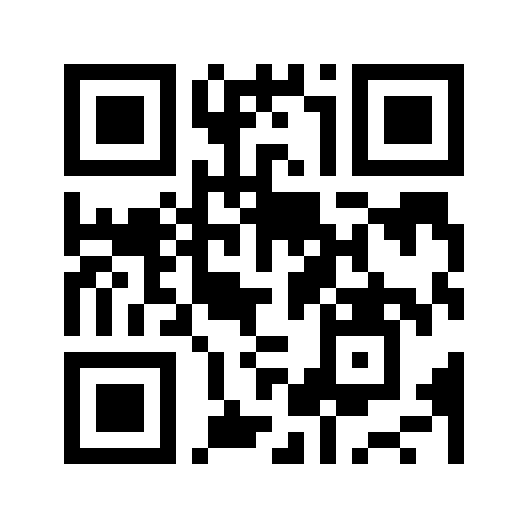
Scan to download
Explores how C2PA-style provenance applies to supply chain traceability and food safety compliance — connecting the technical standard to real regulatory requirements.
Covers FSMA, EU Digital Product Passport, and how cryptographic signing can satisfy chain-of-custody requirements from farm to table.